
Xilisoft RM Converter
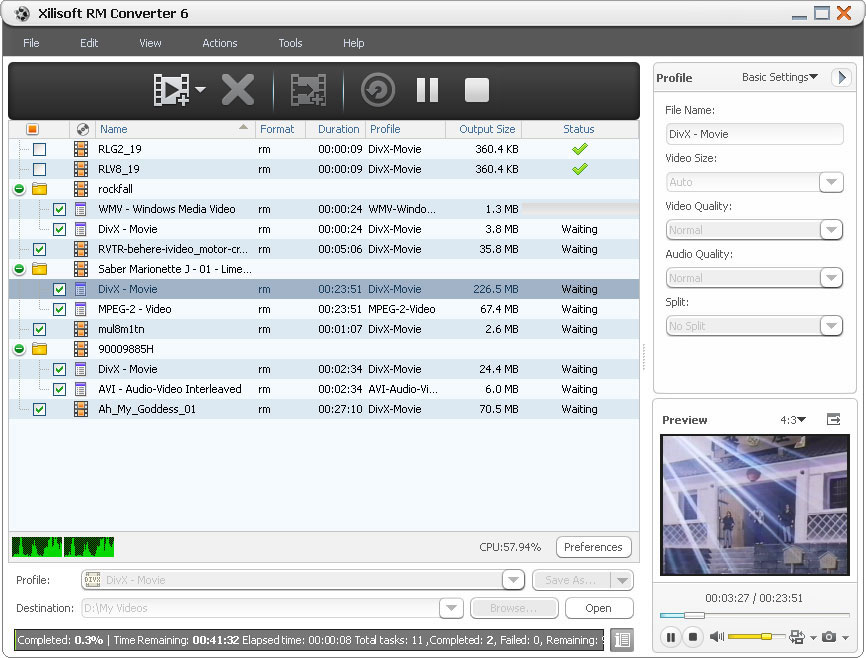
With powerful Xilisoft RM Converter, you can convert RM to AVI as RM to AVI converter, and convert RM, RA, RAM, RMVB formats to other mainstream video formats including AVI, MPEG, WMV, DivX, etc. Moreover, the multifunctional RM converter can convert RM to MP3 as RM to MP3 converter, and convert almost all video to audio formats such as AAC, MP3, WAV, etc.
- Convert RM to AVI/MP3 and other video/audio formats
- Convert RM, RA, RAM, RMVB to AVI, DivX, MPEG, WMV
- Convert RM to MP3, AAC, MP3, WAV, WMA
Customers Also Choose:
Xilisoft iPhone Magic Platinum
Complete solutions to transfer, backup and manage iPhone/iPad/iPod contents, convert videos and download online videos to iPhone/iPad/iPod.

Batch Convert Videos and Audios 
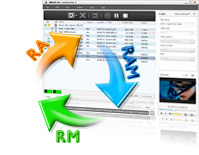
The RM RMVB converter supports almost all video formats, especially RM, RA, RAM, RMVB
- Conversion for RM, RMVB format
The RM converter can easily convert RM to AVI as RM to AVI converter, with the support of converting RM, RA, RAM, RMVB and other video formats to AVI, DivX, MPEG and WMV. - RM to MP3 Conversion
The RM to MP3 converter also enables you to convert RM to MP3, and extract audios including AAC, MP3, WAV, and WMA from video file.

- Customize output parameters
Abundant parameters like video size, video quality, audio quality and channel are classified and offered for you to customize. - Multiple outputs for one
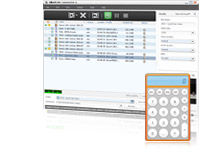
If you need different output formats from the same file, the RM converter gives you the ability of adding various output formats to the same one. - Useful bitrate calculator
Xilisoft RM Converter helps you get exact file size with this smart bitrate calculator tool. - Gain video segment
By setting the start time and duration in the advanced settings, you can get any video segment effortlessly. - Split file
As a simple RM converter, it offers many split options for you to select freely. You can also custom split file size or time to split one file into several.

- Higher efficiency
Batch process and multithreading help you to simplify the RM video conversion greatly. - Preview, Snapshot
The magic RM converter software allows you to preview source video file in the built-in resizable player (supports 4:3 and 16:9 zoom mode) and take snapshot anytime during preview. - Power Management
Allows you to manage your system power in this FLV to WMV converter. - Run in background
When you have more emergent task, just let this RM converter run in background to save more resources. - Interface languages
You can select one of these languages: English, German, Japanese, French, Spanish and Chinese.
| Input File Formats Supported | |
| Video | RM, RMVB, YUV |
| Audio | RA, RAM |
| Output File Formats Supported | |
| Video | AVI, MPEG, WMV, DivX, MPEG-1, MPEG-2 |
| Audio | MP3, WMA, AAC, WAV |
| Image | BMP, GIF, JPEG, PNG |
| Output Devices Supported | |
| iPad mini, iPad mini with Retina display, iPad 4, iPhone 5, iPod touch 5, iPod nano 7 Android mobile devices: Samsung Galaxy Note II (n7100), Samsung Galaxy S III (i9300), Samsung Galaxy S II (i9100), LG Optimus 4X HD (P880), LG Optimus 2X (P990), HTC DROID DNA (X920), HTC EVO 4G LTE (ONE X), HTC ONE V, Motorola DROID RAZR MAXX HD, Motorola Photon Q ,Sony Xperia TL (LT30), Sony Xperia S (LT26), Sony Xperia P (LT22) Google mobile devices: Google Nexus 4 Windows mobile devices: Nokia Lumia 920, Nokia Lumia 820, HTC Windows Phone 8X, HTC Radar 4G, Samsung Focus S | |
| OS | Microsoft® Windows 11 / 10 / 8 / 7 / Vista / XP (SP2 or later) |
| Processor | 1GHz Intel/AMD processor or above |
| RAM | 256MB RAM (512MB or above recommended) |
| Free Hard Disk | 100MB space for installation |
| Graphics Card | Super VGA (800×600) resolution, 16-bit graphics card or higher |


